Conquest with PostgreSQL

  • Hi

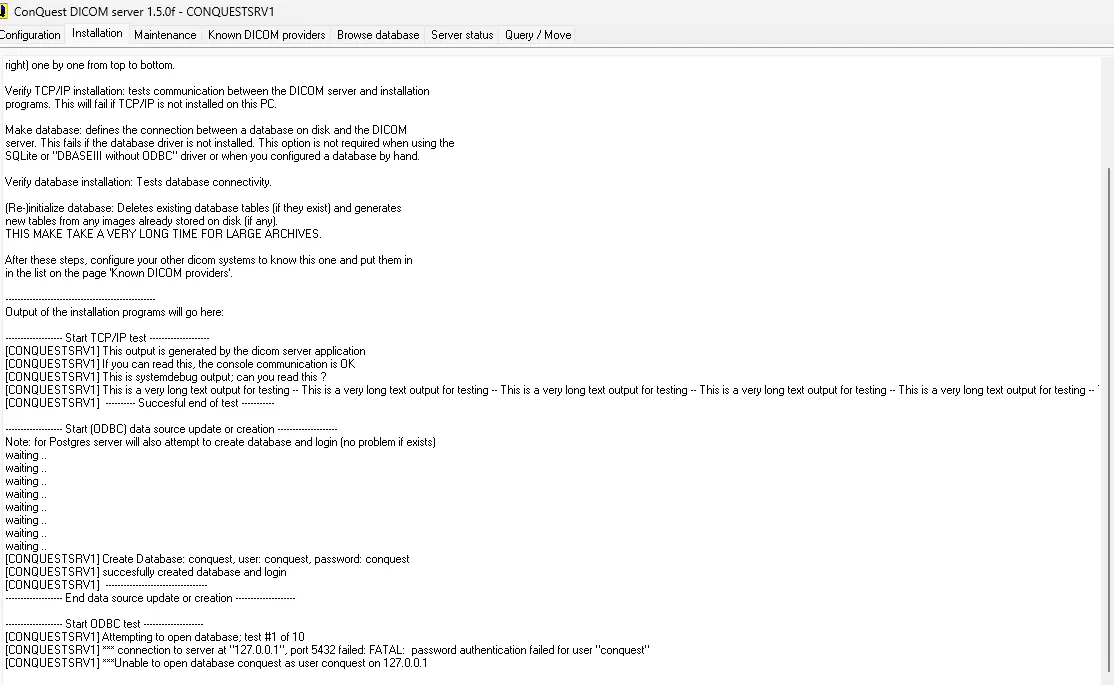
    I am trying to cnfigure conquest with latest version of PostreSQL v18. I had changed the authetication mode to md5 but even then i am getting error at the time of database creation "[CONQUESTSRV1] *** authentication method 10 not supported Ä.

    Can you please guide and will c0onquest support latest version of databases or not??


    --Steve
  • Hi,

    This is on windows I assume. Have you followed all these steps:

    -OR-

    The supplied postgress DLL uses a deprecated login method; can use libcrypto-3-x64.dll; libiconv-2.dll; libintl-9.dll; libpq(64).dll; libssl-3-x64.dll; libwinpthread-1.dll from recent release (from the postgres bin folder)

    -OR-

    In the postgresql.conf file, set the following parameter: password_encryption = md5 Restart PostgreSQL and update the user password.

    Marcel

    Marcel van Herk is developer of the Conquest DICOM server together with Lambert Zijp.

  • Hi

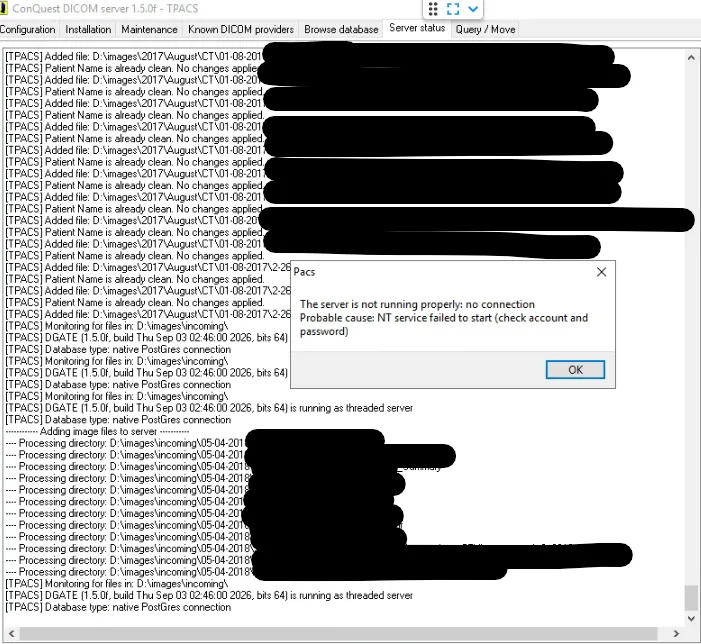
    Can you guide me what is this error means?

    [TPACS] DGATE (1.5.0f, build Thu Sep 03 02:46:00 2026, bits 64) is running as threaded server
    [TPACS] Database type: native PostGres connection
    [TPACS] User interface test: local server is running!
    [TPACS] *** command forbidden or error

    --Steve

  • OKie. i will update.
    One thing more. On the newly setup server I had copied some data in incoming folder of the pacs server but it imported few studies then it stopped. On restrting the server i get this error and files are still there in incoming folder

  • Hi,

    you downloaded a work-in-progress version. Can you update to both executables from Git as they are now. This still has had limited testing, though.

    Maybe it is better to fall back to the released version from the 1.5.0f zip file, that should be utterly stable.

    Marcel

    Marcel van Herk is developer of the Conquest DICOM server together with Lambert Zijp.

  • HI

    I installed the 1.5.0f version. For executables i downloaded and replaced dgate64.exe and DgateServ.exe

    Are these correct or any other file need to be updated. BUt still i am getting the errort and files placed in incoming are not imported.


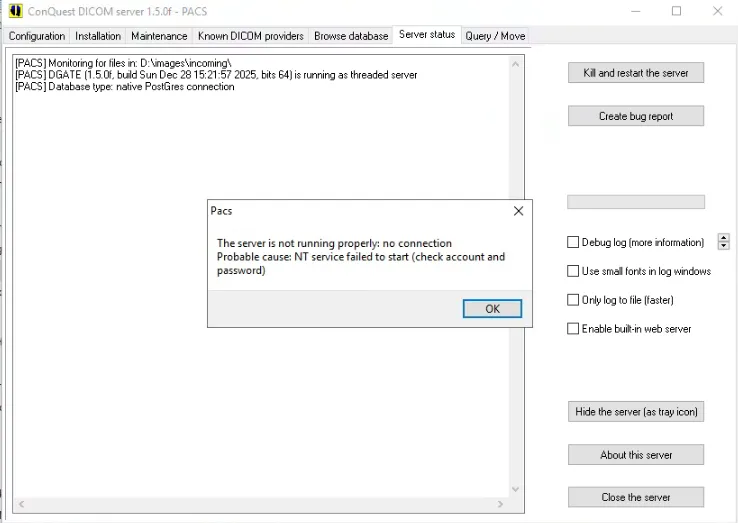
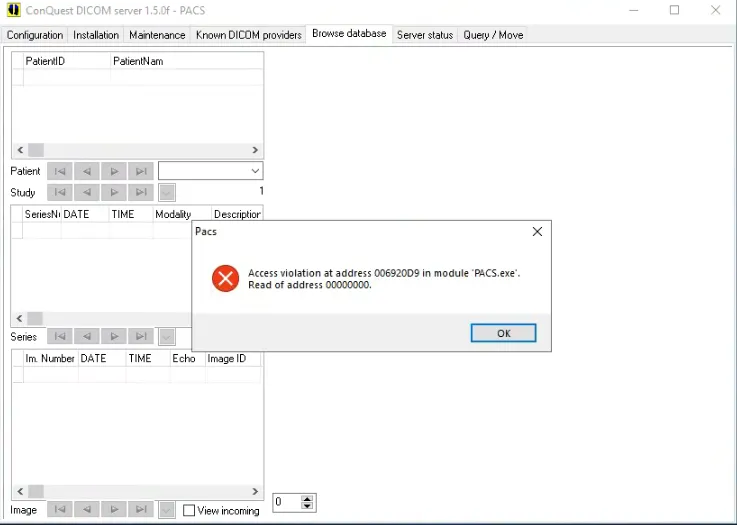
    when i open the pacs exe this error pops up and server logs says

    9/10/2026 11:07:46 AM [PACS] Monitoring for files in: D:\images\incoming\
    9/10/2026 11:07:46 AM [PACS] DGATE (1.5.0f, build Sun Dec 28 15:21:57 2025, bits 64) is running as threaded server
    9/10/2026 11:07:46 AM [PACS] Database type: native PostGres connection
    9/10/2026 11:08:18 AM [PACS] Monitoring for files in: D:\images\incoming\
    9/10/2026 11:08:18 AM [PACS] DGATE (1.5.0f, build Sun Dec 28 15:21:57 2025, bits 64) is running as threaded server
    9/10/2026 11:08:18 AM [PACS] Database type: native PostGres connection

    on Browse Patient Tab get this error

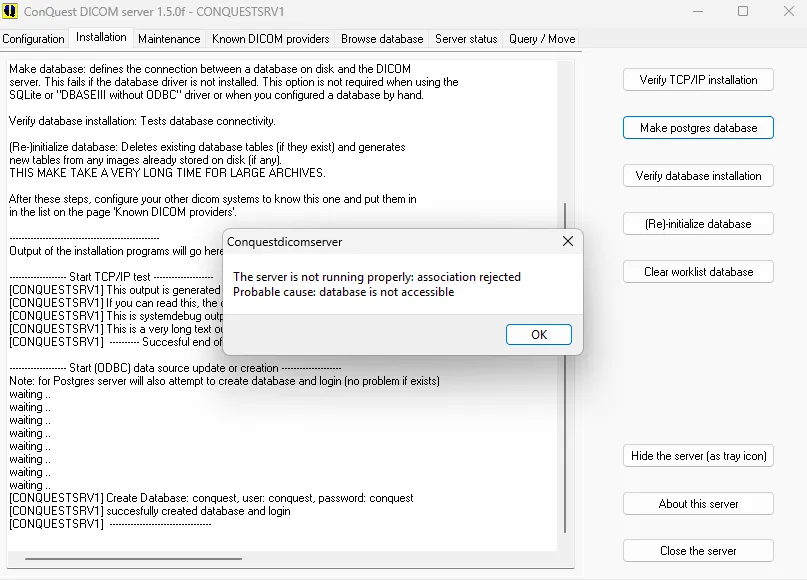
    BUt after installation this what server log states

    There is no error on GUI but server status log says
    9/10/2026 10:44:48 AM [CONQUESTSRV1] Monitoring for files in: C:\PACS\Data\incoming\
    9/10/2026 10:44:48 AM [CONQUESTSRV1] DGATE (1.5.0f, build Sun Aug 31 18:13:31 2025, bits 64) is running as threaded server
    9/10/2026 10:44:48 AM [CONQUESTSRV1] *** connection to server at "localhost" (::1), port 5432 failed: FATAL: password authentication failed for user "conquest"
    9/10/2026 10:44:48 AM [CONQUESTSRV1] *** connection to server at "localhost" (::1), port 5432 failed: FATAL: password authentication failed for user "conquest"
    9/10/2026 10:44:48 AM [CONQUESTSRV1] ***Monitorthread: error Connecting to SQL
    9/10/2026 10:44:49 AM [CONQUESTSRV1] *** connection to server at "localhost" (::1), port 5432 failed: FATAL: password authentication failed for user "conquest"
    9/10/2026 10:44:49 AM [CONQUESTSRV1] *** connection to server at "localhost" (::1), port 5432 failed: FATAL: password authentication failed for user "conquest"
    9/10/2026 10:44:49 AM [CONQUESTSRV1] ***Error connecting datasource:conquest user:conquest password:conquest
    9/10/2026 10:44:49 AM [CONQUESTSRV1] *** connection to server at "localhost" (::1), port 5432 failed: FATAL: password authentication failed for user "conquest"
    9/10/2026 10:44:49 AM [CONQUESTSRV1] ***Monitorthread: error Connecting to SQL
    9/10/2026 10:44:52 AM [CONQUESTSRV1] *** connection to server at "localhost" (::1), port 5432 failed: FATAL: password authentication failed for user "conquest"
    9/10/2026 10:44:52 AM [CONQUESTSRV1] ***Monitorthread: error Connecting to SQL
    9/10/2026 10:44:56 AM [CONQUESTSRV1] *** connection to server at "localhost" (::1), port 5432 failed: FATAL: password authentication failed for user "conquest"
    9/10/2026 10:44:56 AM [CONQUESTSRV1] ***Monitorthread: error Connecting to SQL
    9/10/2026 10:45:00 AM [CONQUESTSRV1] *** connection to server at "localhost" (::1), port 5432 failed: FATAL: password authentication failed for user "conquest"
    9/10/2026 10:45:00 AM [CONQUESTSRV1] ***Monitorthread: error Connecting to SQL
    9/10/2026 10:45:06 AM [CONQUESTSRV1] *** connection to server at "localhost" (::1), port 5432 failed: FATAL: password authentication failed for user "conquest"
    9/10/2026 10:45:06 AM [CONQUESTSRV1] ***Monitorthread: error Connecting to SQL
    9/10/2026 10:45:11 AM [CONQUESTSRV1] Monitoring for files in: C:\PACS\Data\incoming\
    9/10/2026 10:45:11 AM [CONQUESTSRV1] DGATE (1.5.0f, build Sun Aug 31 18:13:31 2025, bits 64) is running as threaded server
    9/10/2026 10:45:11 AM [CONQUESTSRV1] Database type: native PostGres connection
    9/10/2026 10:45:11 AM [CONQUESTSRV1] User interface test: local server is running!
    9/10/2026 10:45:11 AM [CONQUESTSRV1] User interface test: local server is running!
    9/10/2026 10:45:19 AM [CONQUESTSRV1] *** ERROR: relation "uidmods" does not exist
    9/10/2026 10:45:19 AM [CONQUESTSRV1] *** ERROR: relation "dicomstudies" does not exist
    9/10/2026 10:45:19 AM [CONQUESTSRV1] *** ERROR: relation "dicomstudies" does not exist
    9/10/2026 10:45:19 AM [CONQUESTSRV1] *** ERROR: relation "dicomseries" does not exist
    9/10/2026 10:45:19 AM [CONQUESTSRV1] *** ERROR: relation "dicomimages" does not exist
    9/10/2026 10:45:19 AM [CONQUESTSRV1] User interface test: local server is running!
    9/10/2026 10:53:00 AM [CONQUESTSRV1] Monitoring for files in: c:\pacs\data\incoming\
    9/10/2026 10:53:00 AM [CONQUESTSRV1] DGATE (1.5.0f, build Sun Aug 31 18:13:31 2025, bits 64) is running as threaded server
    9/10/2026 10:53:00 AM [CONQUESTSRV1] Database type: native PostGres connection
    9/10/2026 10:53:00 AM [CONQUESTSRV1] User interface test: local server is running!
    9/10/2026 10:54:08 AM [PACS] Monitoring for files in: c:\pacs\data\incoming\
    9/10/2026 10:54:08 AM [PACS] DGATE (1.5.0f, build Sun Aug 31 18:13:31 2025, bits 64) is running as threaded server
    9/10/2026 10:54:08 AM [PACS] Database type: native PostGres connection
    9/10/2026 10:54:08 AM [PACS] User interface test: local server is running!
    9/10/2026 10:54:21 AM [PACS] Monitoring for files in: D:\images\incoming\
    9/10/2026 10:54:21 AM [PACS] DGATE (1.5.0f, build Sun Aug 31 18:13:31 2025, bits 64) is running as threaded server
    9/10/2026 10:54:21 AM [PACS] Database type: native PostGres connection
    9/10/2026 10:54:37 AM [PACS] Monitoring for files in: D:\images\incoming\
    9/10/2026 10:54:37 AM [PACS] DGATE (1.5.0f, build Sun Aug 31 18:13:31 2025, bits 64) is running as threaded server
    9/10/2026 10:54:37 AM [PACS] Database type: native PostGres connection
    9/10/2026 11:01:27 AM [PACS] Monitoring for files in: D:\images\incoming\
    9/10/2026 11:01:27 AM [PACS] DGATE (1.5.0f, build Sun Dec 28 15:21:57 2025, bits 64) is running as threaded server
    9/10/2026 11:01:27 AM [PACS] Database type: native PostGres connection

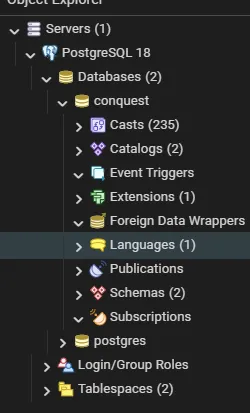
    THere were no error reported and dsatabase was created successfully

    Edited 2 times, last by DrSteve (September 10, 2026 at 8:12 AM).

  • Hi,

    You have the correct version now.

    The server not running message is false and because of slow startup. On the todo list.

    All other errors show you have lost your database connection. This code was not changed at all between recent versions, so this must be something on your side e.g,. in dicom.ini.

    Marcel

    Marcel van Herk is developer of the Conquest DICOM server together with Lambert Zijp.

  • This is my dicom.oini


    # This file contains configuration information for the DICOM server
    # Do not edit unless you know what you are doing

    [sscscp]
    MicroPACS = sscscp

    # Network configuration: server name and TCP/IP port#
    MyACRNema = xxxxx
    TCPPort = xxxxxx

    # Host, database, username and password for database
    SQLHost = 127.0.0.1
    SQLServer = xxxxxxx
    Username = xxxxxx
    Password = xxxxxx
    Postgres = 1
    DoubleBackSlashToDB = 1
    UseEscapeStringConstants = 1
    UTF8ToDB = 1
    UTF8FromDB = 1

    # Configure server
    ImportExportDragAndDrop = 1
    ZipTime = 05:
    UIDPrefix = 1.2.826.0.1.3680043.2.135.739869.53816
    EnableComputedFields = 1

    FileNameSyntax = xxxxx

    # Configuration of compression for incoming images and archival
    DroppedFileCompression = jk
    IncomingCompression = jk
    ArchiveCompression = as

    # For debug information
    PACSName = PACS
    OperatorConsole = 127.0.0.1
    DebugLevel = 0

    # Configuration of disk(s) to store images
    MAGDeviceFullThreshold = 30
    MAGDevices = 1
    MAGDevice0 = D:\images\


    [lua]
    ImportConverter0 = dofile('filename.lua')

  • That looks all good, maybe you broke the postgres install. I just run a test 1.5.0g and Postgres:

    Installed with postgresql-18.6-3-windows-x64 without error. Because md5 authentication (mode 10) is deprecated, before installing with postgres need to copy C:\Program Files\PostgreSQL\18\bin\lib*.dll to c:\dicomserver and delete c:\dicomserver\libpq64.dll. For now there is an error message that the server does not run at first install but that can be ignored.

    No settings in postgres need to be changed.

    Marcel

    Marcel van Herk is developer of the Conquest DICOM server together with Lambert Zijp.

  • Let me try with a fresh install and this time try to copy all dll from Postgre bin folder to server.

    Update you after testing

    My concerns is that if everything is correctly installed and configured thrn why pacs server is not importing the studies placed in default incoming folder???

    Edited once, last by DrSteve (September 13, 2026 at 7:11 PM).

  • Hi Marcel

    After testing i am still getting the same error. But beside the above error , a new error surface today/ We have a main PACS , conquest that receive images from modalities then forward it to other specalist pacs. IN case of CT, Main PACS reveived 3015 images but on departmental PACS, its only receive 2762. On investigating it was found that in one of the series "Thins_Plain_Ax__iDose_(6)" there was difference of image count.

    We copy the complete study and place it in incoming folder of Departmental PACS but image count for specific series remain same. Pushed the complate study from Main PACS to Departmental PACS same error. At bith ends conquest PACS Server is running.

    Can you guide me in this regard as its creating questions of data integrity of departmental PACS.


    --Steve

Participate now!

Don’t have an account yet? Register yourself now and be a part of our community!